UX + information architecture · Event platform
Queer Calendar:
community, centered.
After a San Diego networking event, I was introduced to the founder of Queer Calendar. She had a vision for a place where LGBTQ+ people find events they trust. I turned it into a structured mobile and desktop design, and it became the starting point for the live site.
- Site mapping
- Information architecture
- iOS, Android, Web
- 5 months

The challenge
Finding community shouldn't be a scavenger hunt.
Mainstream event sites had no way to filter by identity, no safety signals, and little beyond nightlife. Most people found queer events by word of mouth because nothing central existed. The product had to serve two very different groups: people looking for events, and the organizers hosting them.
What I did
Three changes that mattered most.
Research in my own community
I'm part of the LGBTQ+ community, so I talked with people in my circle about how they find in-person events locally, and what makes them trust one.
Structure before screens
I mapped every page for attendees and organizers, then designed mobile and desktop with the right information hierarchy for each.
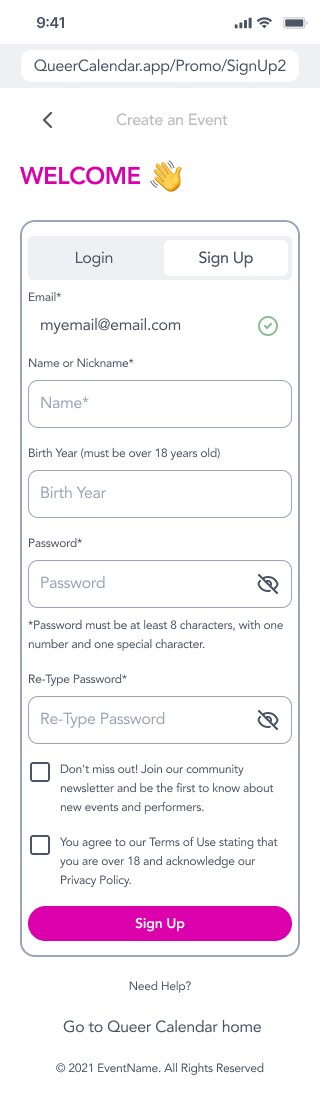
A shorter sign-up
An under-18 waitlist and a single terms box cut steps from sign-up, and leave room for a future under-18-friendly version of the app.
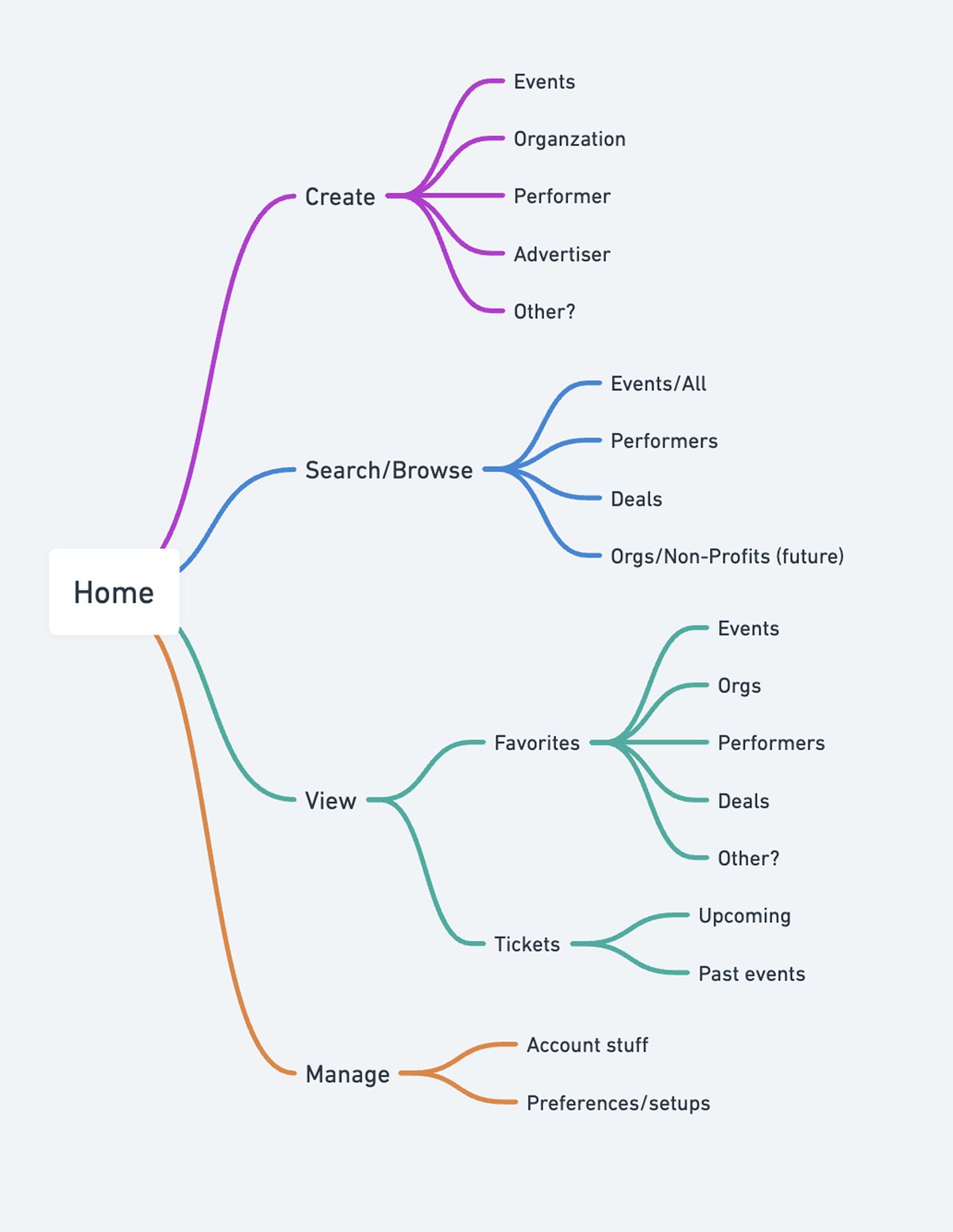
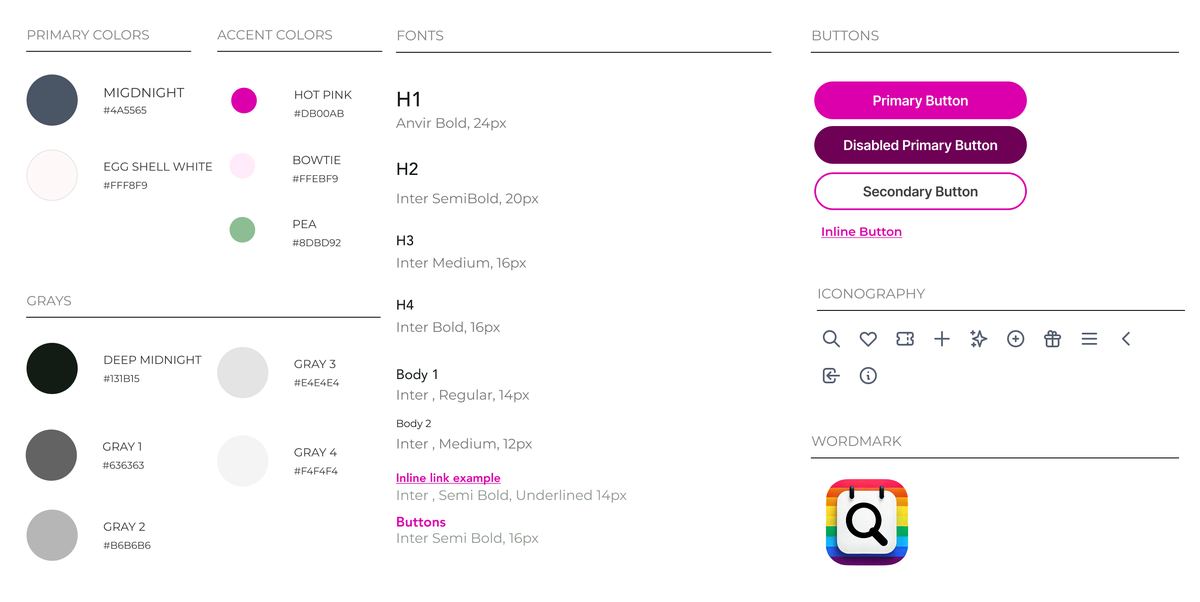
My role: I brought the founder's vision to life as a UX designer, then handed my designs to her developer, who made tweaks and published qcal.app. The cards, color palette, trust badges, and upfront prices all carried over, and the organizer flow stayed close to my design.
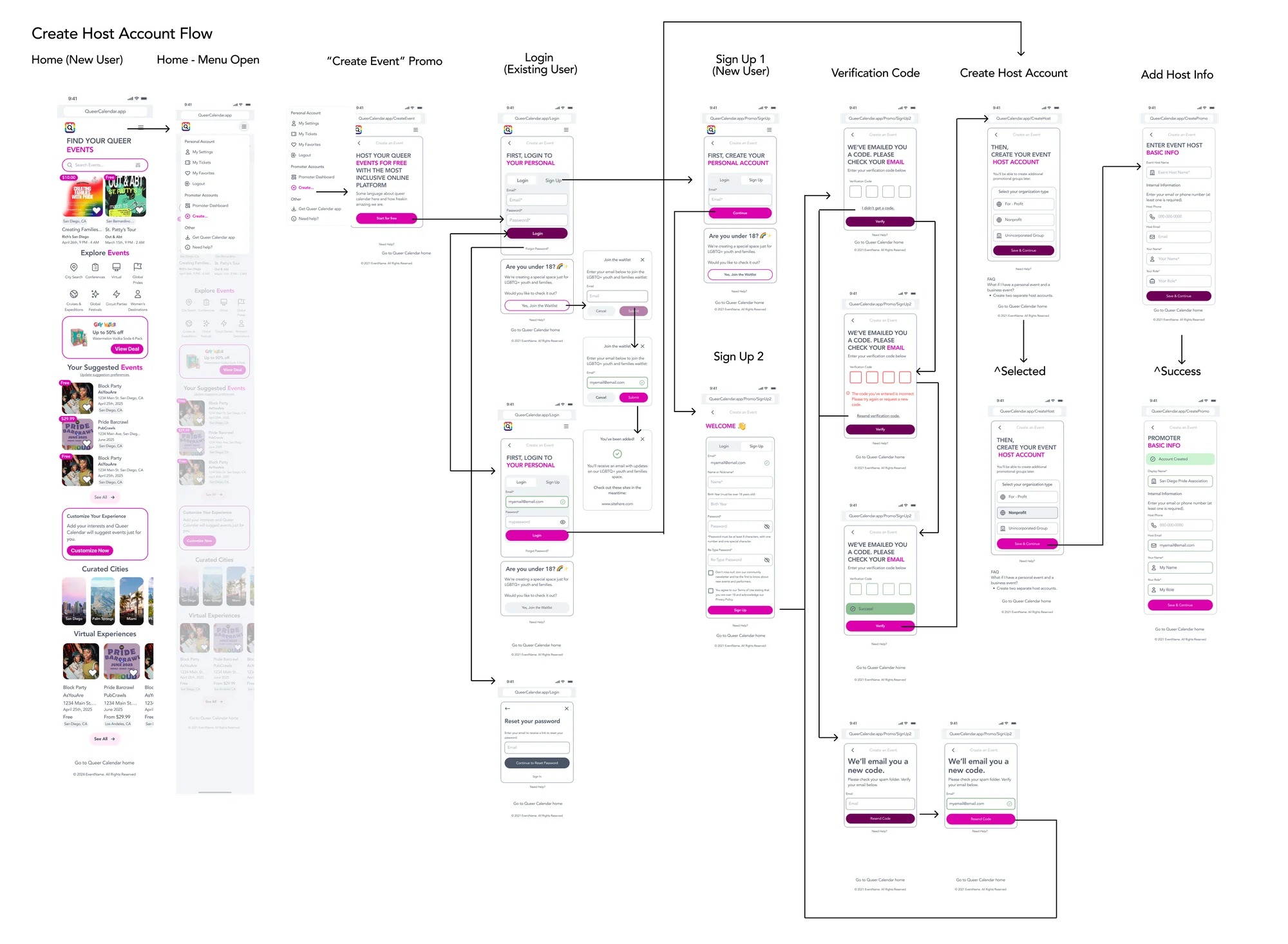
Step 1 Home
Step 2 Menu

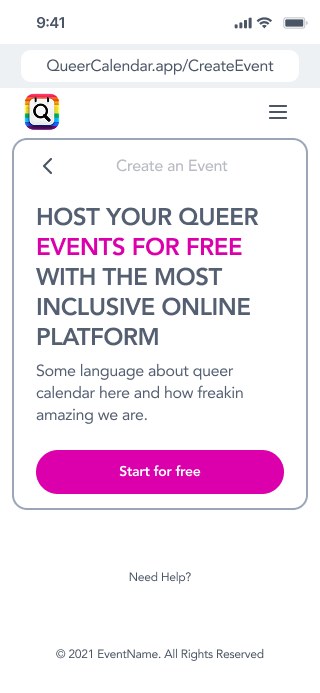
Step 3 Start
Step 4 Sign up
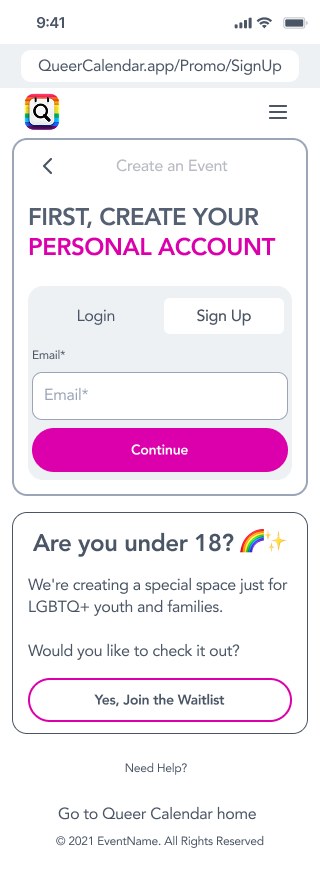
Step 5 Details
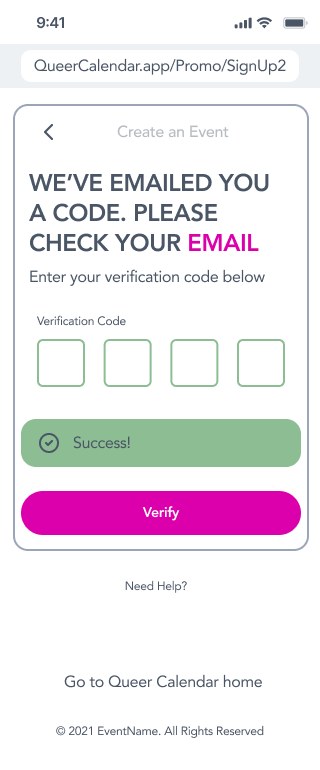
Step 6 Verify
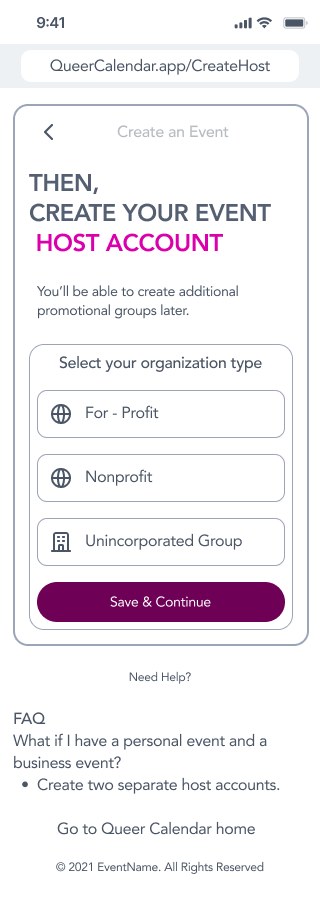
Step 7 Host type
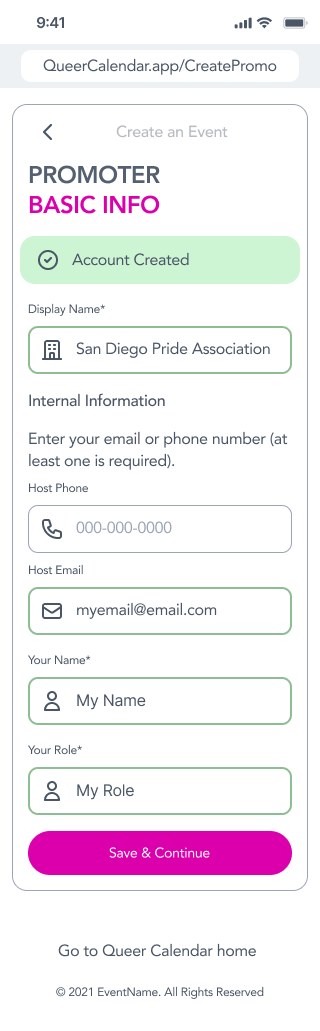
Step 8 Promoter info
What this means for you
Before any design, I make sure your site is organized the way your customers think, so they find what they need without hunting for it.
Start to finish
How the project came together.
- Month 1
Research
After meeting the founder, I talked with people in my LGBTQ+ circle about how they find local in-person events.
- Months 2–4
Design and structure
Site maps, information hierarchy, and mobile and desktop designs for attendees and organizers.
- Month 5
Handoff
I handed the designs to the founder's developer, who made tweaks and published the site.
- Launch
Live on qcal.app
My cards, colors, trust badges, and prices carried over, with 121+ events live at launch.
The results.
- 121+live events on qcal.app at launch
- 2user groups mapped into one product
- 4part organizer flow, mapped end to end
- 5months from first research to developer handoff
How could this help your business?
Let's talk it through. Grab a free 30-minute call and tell me what your shop needs.